Learn how to extend your content's reach and streamline your Facebook page management with automated posting.
Facebook auto-posting is a handy feature that lets you share your CMS content directly to your Facebook page. Here's how to set it up:
- Create a Facebook developer account and make an App.
- Set up your Facebook ID, secret key, and other App details.
- Integrate the App with CodeBaer CMS and link it to your Facebook account for seamless auto-posting.
For existing developer accounts, you can skip the developer account Create Steps. If not, follow these steps:
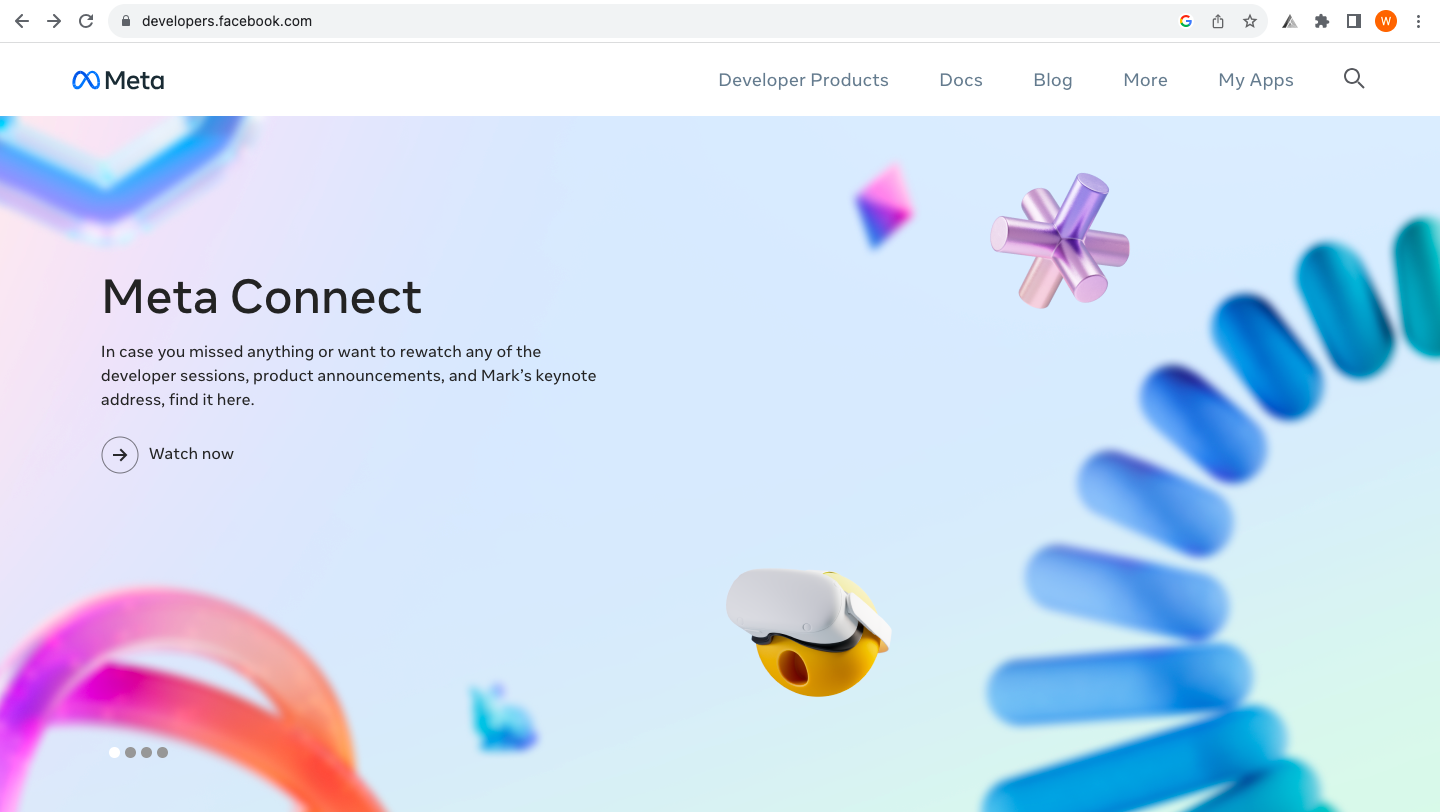
- Visit https://developers.facebook.com.
- Click "Log In" at the top-right.
- Then, select "Sign Up" to create a new developer account.
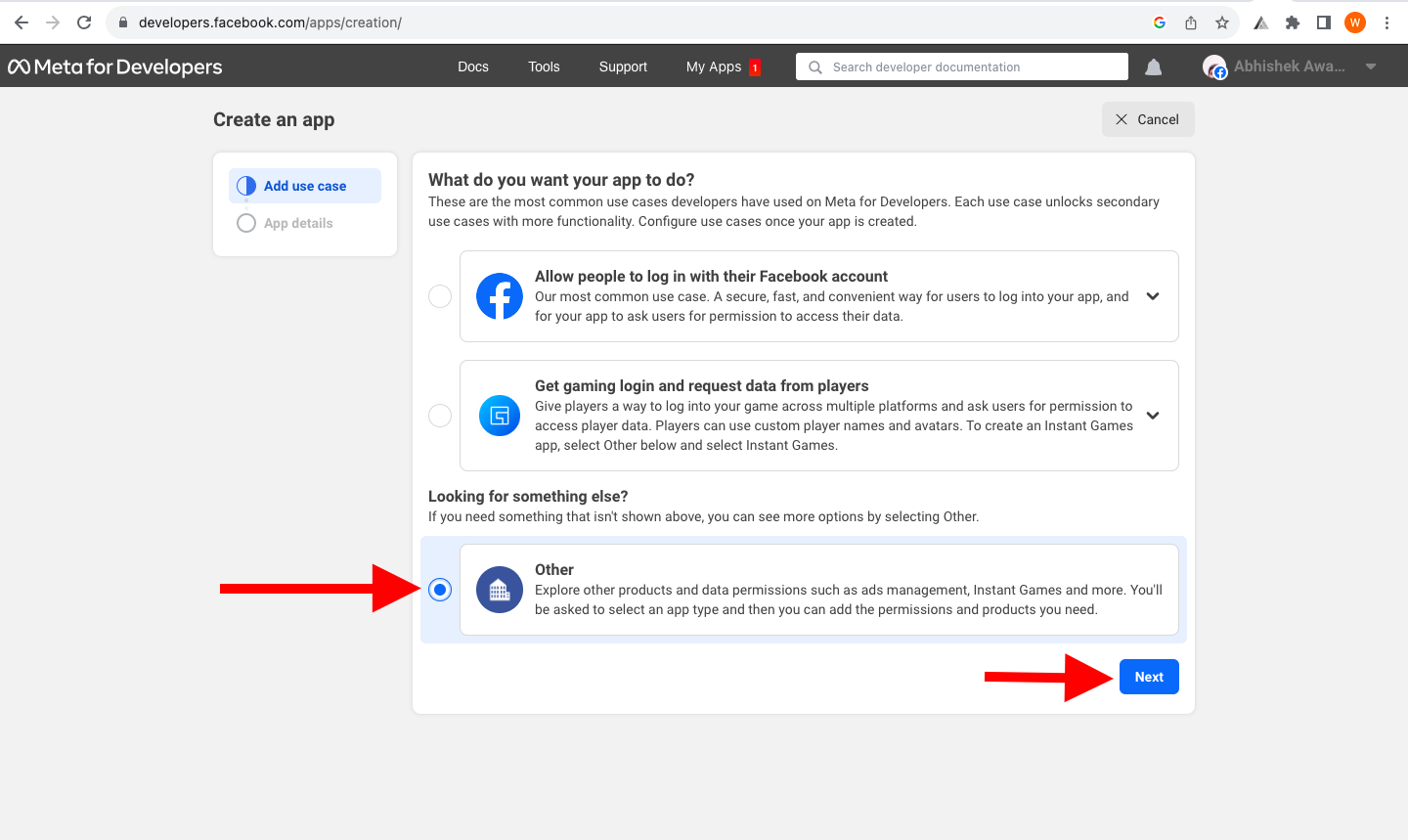
4. Click on "Create a New App." You will see multiple options as in the below image. Select the “Other” option and then Click "Next"
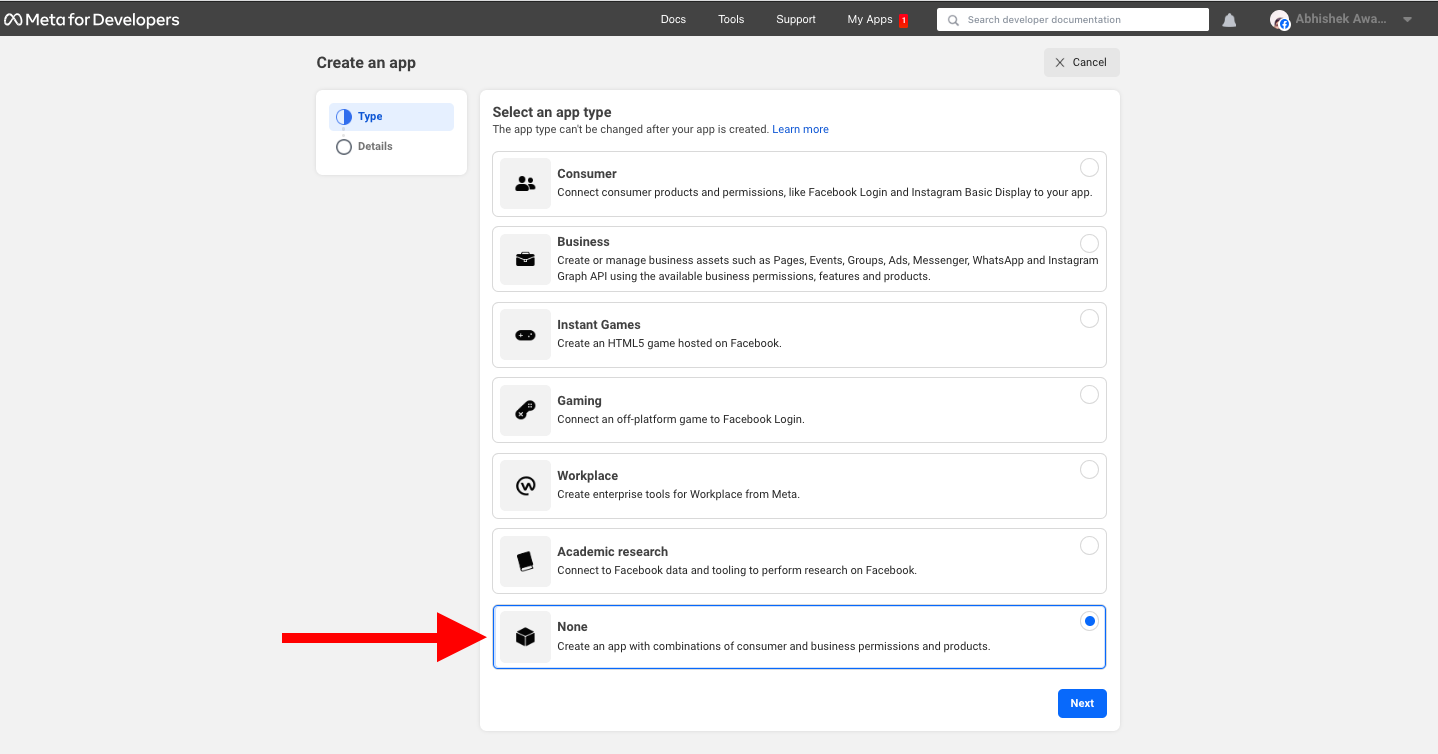
5. On the next page, You can choose either "Business" or "None." Both options are suitable for your business.
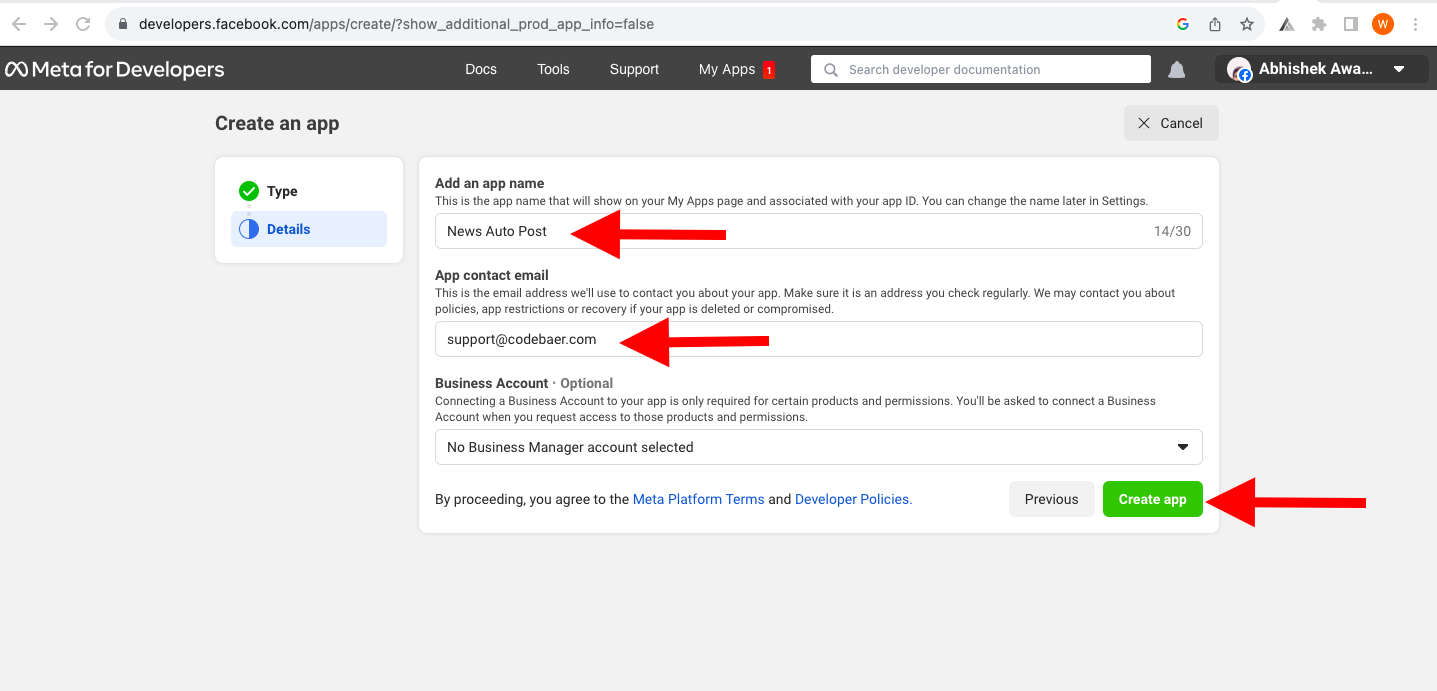
6. On the next page, Provide the App display name and App contact email and click on Create app. as shown below screenshot.